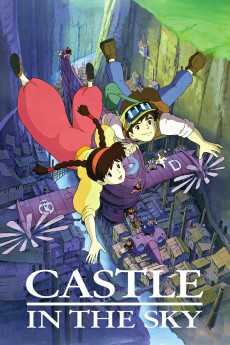
Castle in the Sky (1986)
Género: Action , Adventure , Animation , Drama , Family , Fantasy , Sci-Fi
Año: 1986
Formato: 4K
Runtime: 125
Resumen
On a cloudy night, brave Pazu, an engineer's apprentice with a heart of gold, discovers Sheeta, the mysterious girl who fell from the sky. Not knowing what to expect, the boy approaches her, drawn by the iridescent, almost mystical light emanating from Sheeta's necklace. But the same gem has already caught unwanted attention. Now, with dangerous sky pirates and the unstoppable agents of a shadowy organisation hot on their trail, Sheeta and Pazu embark on a challenging quest to decipher the meaning of the intriguing crystal amulet. Legend has it that Laputa was a mythical flying island. After all, Pazu's father was confident that he had seen it. Will the young allies unravel the pendant's puzzling secret and the myth of the floating castle in the sky?—Nick Riganas
También te puede interesar
Pasos para descargar y ver
1. ¿Cómo descargar?
Lo primero que hay que entender es que los contenidos no están alojados en nuestro servidor sino que se comparten entre usuarios. Al pinchar en descargar estás dando a un enlace que te da la información necesaria para descargar con el BitTorrent.
2. ¿Qué es el BitTorrent?
Todas las películas, series y demás, los tienen usuarios como tú en su ordenador y tú descargas de ellos y otros descargarán de ti. Es el sistema P2P (peer to peer). En nuestra web se comparte por el BitTorrent que es un sistema P2P muy conocido.
Para poder descargar las cosas necesitarás tener instalado un cliente Torrent.
3. ¿Qué cliente BitTorrent utilizar?
Hay varios clientes Torrent. Nosotros recomentamos utilizar el bitTorrent. Es muy ligero, fácil de usar, sin publicidad, no ralentiza tu ordenador…
Aquí podrás encontrar un manual sobre el BitTorrent y cómo instalarlo y configurarlo:
4. ¿Cómo ver las películas y series?
Si después de descargar axluna película o serie, tienes problemas para verla u oirla, te recomendamos que hagas lo siguiente.
Instala un pack de códecs, nosotros recomendamos el CCCP:
Si no lo tienes instalado, instálate este reproductor de vídeo, el Windows Media Player Classic:
https://www.free-codecs.com/download/Media_Player_Classic.htm
Reinicia el ordenador y se te deberían ver y oír correctamente las películas y series al abrirlas con el Windows Media Player Classic.