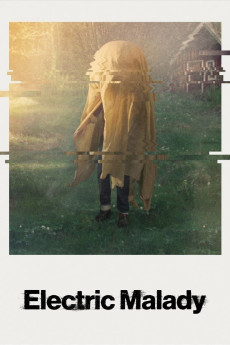
Electric Malady (2022)
Género: Documentary
Año: 2022
Formato: 4K
Runtime: 84
Resumen
Artist and filmmaker Marie Lidén invites audiences into the isolated world of William, a young man who's spent a decade reluctantly retreating from modern life. A one-time master's student and aspiring musician, his adverse reaction to the electrical radiation from our interconnected digital age has led him to a remote cabin in the Swedish wilderness where he's cut himself off from most forms of technology. But how do you get off the grid when the grid is now everywhere? Hidden in a foil-encased bedroom, beneath layers of copper-lined fabric, William speaks openly to Lidén about suffering from the condition known as electrosensitivity. Shot partly with a hand-cranked Bolex camera, what emerges is a lyrical and empathetic portrait of loneliness and isolation - and a loving family's efforts to save their son's life.—Conic
También te puede interesar
Pasos para descargar y ver
1. ¿Cómo descargar?
Lo primero que hay que entender es que los contenidos no están alojados en nuestro servidor sino que se comparten entre usuarios. Al pinchar en descargar estás dando a un enlace que te da la información necesaria para descargar con el BitTorrent.
2. ¿Qué es el BitTorrent?
Todas las películas, series y demás, los tienen usuarios como tú en su ordenador y tú descargas de ellos y otros descargarán de ti. Es el sistema P2P (peer to peer). En nuestra web se comparte por el BitTorrent que es un sistema P2P muy conocido.
Para poder descargar las cosas necesitarás tener instalado un cliente Torrent.
3. ¿Qué cliente BitTorrent utilizar?
Hay varios clientes Torrent. Nosotros recomentamos utilizar el bitTorrent. Es muy ligero, fácil de usar, sin publicidad, no ralentiza tu ordenador…
Aquí podrás encontrar un manual sobre el BitTorrent y cómo instalarlo y configurarlo:
4. ¿Cómo ver las películas y series?
Si después de descargar axluna película o serie, tienes problemas para verla u oirla, te recomendamos que hagas lo siguiente.
Instala un pack de códecs, nosotros recomendamos el CCCP:
Si no lo tienes instalado, instálate este reproductor de vídeo, el Windows Media Player Classic:
https://www.free-codecs.com/download/Media_Player_Classic.htm
Reinicia el ordenador y se te deberían ver y oír correctamente las películas y series al abrirlas con el Windows Media Player Classic.