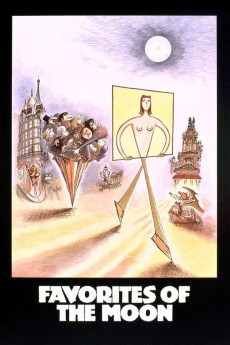
Favourites of the Moon (1984)
Género: Action , Comedy , Crime , Drama
Año: 1984
Formato: 4K
Runtime: 101
Resumen
Awarded the Special Jury Prize at the 41st Venice International Film Festival, this absurdist comedy, with its sprawling cast of crooks, thieves, anarchists, prostitutes, chief inspectors, art dealers, and inventors, calls to mind the bustling tapestries of Robert Altman. The story revolves around two objects, a rare set of 18th-century Limoges china, and a 19th century aristocratic portrait. As these items are passed, sold, or stolen from one character to another, a giddy round dance of excess begins to take shape, one which suggests that if history doesn't repeat itself, it certainly rhymes. Together with co-writer Gérard Brach, whose other co-writing credits include Repulsion and Tess, Otar Iosseliani uses a feather-light touch to expose the futility of class and social order, making a bagatelle of the concerns of rich and poor alike.—Anonymous
También te puede interesar
Pasos para descargar y ver
1. ¿Cómo descargar?
Lo primero que hay que entender es que los contenidos no están alojados en nuestro servidor sino que se comparten entre usuarios. Al pinchar en descargar estás dando a un enlace que te da la información necesaria para descargar con el BitTorrent.
2. ¿Qué es el BitTorrent?
Todas las películas, series y demás, los tienen usuarios como tú en su ordenador y tú descargas de ellos y otros descargarán de ti. Es el sistema P2P (peer to peer). En nuestra web se comparte por el BitTorrent que es un sistema P2P muy conocido.
Para poder descargar las cosas necesitarás tener instalado un cliente Torrent.
3. ¿Qué cliente BitTorrent utilizar?
Hay varios clientes Torrent. Nosotros recomentamos utilizar el bitTorrent. Es muy ligero, fácil de usar, sin publicidad, no ralentiza tu ordenador…
Aquí podrás encontrar un manual sobre el BitTorrent y cómo instalarlo y configurarlo:
4. ¿Cómo ver las películas y series?
Si después de descargar axluna película o serie, tienes problemas para verla u oirla, te recomendamos que hagas lo siguiente.
Instala un pack de códecs, nosotros recomendamos el CCCP:
Si no lo tienes instalado, instálate este reproductor de vídeo, el Windows Media Player Classic:
https://www.free-codecs.com/download/Media_Player_Classic.htm
Reinicia el ordenador y se te deberían ver y oír correctamente las películas y series al abrirlas con el Windows Media Player Classic.