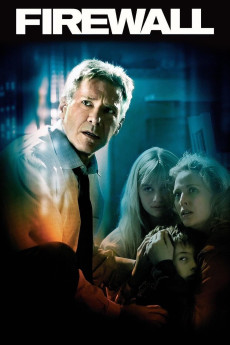
Firewall (2006)
Género: Action , Crime , Thriller
Año: 2006
Formato: 4K
Runtime: 105
Resumen
Jack Stanfield is a bank's security chief who has designed a computer system & firewall to protect his employer from fraud. One day, after being introduced to a man named Bill Cox who is interested in working with Jack on a security project, Jack finds himself ambushed and staring down a gun barrel. The man holding the gun is Cox. When Jack arrives home the motive for the meeting becomes clear: Cox & his gang of violent, psychopathic thieves want Jack to hack through his employer's computer security & transfer $100 million to Cox's bank accounts in the Caymans. Failure to comply means the murder of Jack's family. Stanfield realizes this will implicate him as an embezzler but he complies. However, even after Cox has the money, it becomes obvious that he had no intention of letting anyone live and kidnaps the family to kill them & hide their bodies, leaving one of his henchman to eliminate Jack. When Jack kills the thug who was supposed to kill him, the sociopathic Cox's plans are ruined. Jack must race against time to get his family back before Cox and his fellow thugs carry out their murderous plans.—Derek O'Cain
También te puede interesar
Pasos para descargar y ver
1. ¿Cómo descargar?
Lo primero que hay que entender es que los contenidos no están alojados en nuestro servidor sino que se comparten entre usuarios. Al pinchar en descargar estás dando a un enlace que te da la información necesaria para descargar con el BitTorrent.
2. ¿Qué es el BitTorrent?
Todas las películas, series y demás, los tienen usuarios como tú en su ordenador y tú descargas de ellos y otros descargarán de ti. Es el sistema P2P (peer to peer). En nuestra web se comparte por el BitTorrent que es un sistema P2P muy conocido.
Para poder descargar las cosas necesitarás tener instalado un cliente Torrent.
3. ¿Qué cliente BitTorrent utilizar?
Hay varios clientes Torrent. Nosotros recomentamos utilizar el bitTorrent. Es muy ligero, fácil de usar, sin publicidad, no ralentiza tu ordenador…
Aquí podrás encontrar un manual sobre el BitTorrent y cómo instalarlo y configurarlo:
4. ¿Cómo ver las películas y series?
Si después de descargar axluna película o serie, tienes problemas para verla u oirla, te recomendamos que hagas lo siguiente.
Instala un pack de códecs, nosotros recomendamos el CCCP:
Si no lo tienes instalado, instálate este reproductor de vídeo, el Windows Media Player Classic:
https://www.free-codecs.com/download/Media_Player_Classic.htm
Reinicia el ordenador y se te deberían ver y oír correctamente las películas y series al abrirlas con el Windows Media Player Classic.