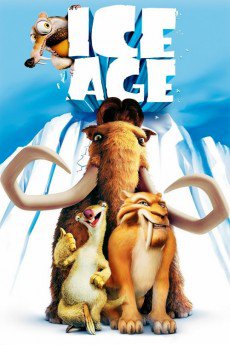
Ice Age (2002)
Género: Action , Adventure , Animation , Comedy , Family , Fantasy , History
Año: 2002
Formato: 4K
Runtime: 81
Resumen
20,000 BC. With the primaeval world on the brink of the Ice Age, a tribe of humans breaks camp to follow an endless convoy of prehistoric animals migrating south. However, after a sudden attack by a hungry pack of sabre-toothed tigers, an innocent infant finds himself unprotected. In the wake of this unfortunate event, Manny, the enormous shaggy mammoth, embarks on a peril-laden quest to track down the baby's parents, along with Sid, the lazy sloth, and sly Diego, the tiger. But grave danger is closer than they think. Can the unlikely rescuers find the human family before thick glaciers cover the Earth from end to end?—Nick Riganas
También te puede interesar
Pasos para descargar y ver
1. ¿Cómo descargar?
Lo primero que hay que entender es que los contenidos no están alojados en nuestro servidor sino que se comparten entre usuarios. Al pinchar en descargar estás dando a un enlace que te da la información necesaria para descargar con el BitTorrent.
2. ¿Qué es el BitTorrent?
Todas las películas, series y demás, los tienen usuarios como tú en su ordenador y tú descargas de ellos y otros descargarán de ti. Es el sistema P2P (peer to peer). En nuestra web se comparte por el BitTorrent que es un sistema P2P muy conocido.
Para poder descargar las cosas necesitarás tener instalado un cliente Torrent.
3. ¿Qué cliente BitTorrent utilizar?
Hay varios clientes Torrent. Nosotros recomentamos utilizar el bitTorrent. Es muy ligero, fácil de usar, sin publicidad, no ralentiza tu ordenador…
Aquí podrás encontrar un manual sobre el BitTorrent y cómo instalarlo y configurarlo:
4. ¿Cómo ver las películas y series?
Si después de descargar axluna película o serie, tienes problemas para verla u oirla, te recomendamos que hagas lo siguiente.
Instala un pack de códecs, nosotros recomendamos el CCCP:
Si no lo tienes instalado, instálate este reproductor de vídeo, el Windows Media Player Classic:
https://www.free-codecs.com/download/Media_Player_Classic.htm
Reinicia el ordenador y se te deberían ver y oír correctamente las películas y series al abrirlas con el Windows Media Player Classic.