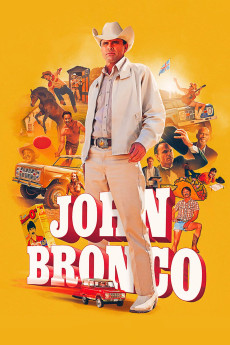
John Bronco (2020)
Año: 2020
Formato: 4K
Runtime: 37
Resumen
Some have said that if you were famous before the internet, you might as well never have existed. Such is the case for John Bronco, the greatest pitchman who ever lived. In 1966, Ford tapped him to race their new prototype SUV at the Baja 500 in Mexico. Not only did he win, but he gave a rousing speech that rallied a nation. Legend has it that Ford named the new car "Bronco" after John, made him the face of their campaign and skyrocketed him to stardom. His commercials were on every channel and his jingle went triple-platinum. John launched his own cologne, breakfast cereal, video game, action figure, you name it. He was the very embodiment of the American dream, that is, until it all came crashing down.—Official site
También te puede interesar
Pasos para descargar y ver
1. ¿Cómo descargar?
Lo primero que hay que entender es que los contenidos no están alojados en nuestro servidor sino que se comparten entre usuarios. Al pinchar en descargar estás dando a un enlace que te da la información necesaria para descargar con el BitTorrent.
2. ¿Qué es el BitTorrent?
Todas las películas, series y demás, los tienen usuarios como tú en su ordenador y tú descargas de ellos y otros descargarán de ti. Es el sistema P2P (peer to peer). En nuestra web se comparte por el BitTorrent que es un sistema P2P muy conocido.
Para poder descargar las cosas necesitarás tener instalado un cliente Torrent.
3. ¿Qué cliente BitTorrent utilizar?
Hay varios clientes Torrent. Nosotros recomentamos utilizar el bitTorrent. Es muy ligero, fácil de usar, sin publicidad, no ralentiza tu ordenador…
Aquí podrás encontrar un manual sobre el BitTorrent y cómo instalarlo y configurarlo:
4. ¿Cómo ver las películas y series?
Si después de descargar axluna película o serie, tienes problemas para verla u oirla, te recomendamos que hagas lo siguiente.
Instala un pack de códecs, nosotros recomendamos el CCCP:
Si no lo tienes instalado, instálate este reproductor de vídeo, el Windows Media Player Classic:
https://www.free-codecs.com/download/Media_Player_Classic.htm
Reinicia el ordenador y se te deberían ver y oír correctamente las películas y series al abrirlas con el Windows Media Player Classic.