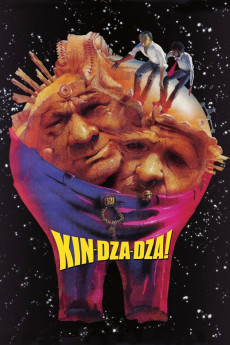
Kin-dza-dza! (1986)
Género: Comedy , Drama , Sci-Fi
Año: 1986
Formato: 4K
Runtime: 135
Resumen
Two Humans, "Uncle Vova" and "The Fiddler" accidentally find themselves on another planet after pushing the wrong button on the strange device in the hand of an odd hobo, claiming to be an alien. Planet "Pluke" in the galaxy "Kin-Dza-Dza" looks like a desert. All "aliens" look human, and can understand Russian, after reading uncle Vova's mind. Their own language is mostly telepathic and is limited to 11 words - 10 plus "koo" - all other words. The whole paradox of Pluke is that their civilization is much more advanced than ours in time and space traveling, weaponry and so on, but totally barbarian in the social way. There is a special (and only) way to identify two groups of creatures by pointing a little device on the person, orange light - "Chatlanian" (superior), green - "Patsak" (lower class). The most valued things on the planet are matches (or, rather, the chemicals ordinarily used on Earth for match heads). One match head equals to 2200 "chatles". Uncle Vova and Gedevan "the Fiddler" Alexidze, have a long and dangerous journey in order to get home...—Dmitri Zdorov
También te puede interesar
Pasos para descargar y ver
1. ¿Cómo descargar?
Lo primero que hay que entender es que los contenidos no están alojados en nuestro servidor sino que se comparten entre usuarios. Al pinchar en descargar estás dando a un enlace que te da la información necesaria para descargar con el BitTorrent.
2. ¿Qué es el BitTorrent?
Todas las películas, series y demás, los tienen usuarios como tú en su ordenador y tú descargas de ellos y otros descargarán de ti. Es el sistema P2P (peer to peer). En nuestra web se comparte por el BitTorrent que es un sistema P2P muy conocido.
Para poder descargar las cosas necesitarás tener instalado un cliente Torrent.
3. ¿Qué cliente BitTorrent utilizar?
Hay varios clientes Torrent. Nosotros recomentamos utilizar el bitTorrent. Es muy ligero, fácil de usar, sin publicidad, no ralentiza tu ordenador…
Aquí podrás encontrar un manual sobre el BitTorrent y cómo instalarlo y configurarlo:
4. ¿Cómo ver las películas y series?
Si después de descargar axluna película o serie, tienes problemas para verla u oirla, te recomendamos que hagas lo siguiente.
Instala un pack de códecs, nosotros recomendamos el CCCP:
Si no lo tienes instalado, instálate este reproductor de vídeo, el Windows Media Player Classic:
https://www.free-codecs.com/download/Media_Player_Classic.htm
Reinicia el ordenador y se te deberían ver y oír correctamente las películas y series al abrirlas con el Windows Media Player Classic.