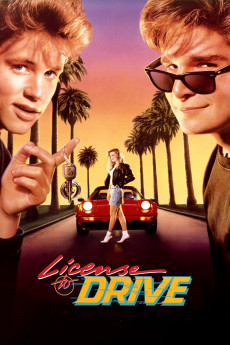
License to Drive (1988)
Año: 1988
Formato: 4K
Runtime: 88
Resumen
Les Anderson (Corey Haim) is about to take his driving test. He has a few things planned, based on the presumption that he will pass. Not least is a date with the girl of his dreams, Mercedes Lane (Heather Graham). Then he fails, and his plans are shattered. He doesn't tell anyone that he has failed though and goes ahead with the date with Mercedes. Key to his night out is taking his grandfather's prized 16-year old low-mileage Cadillac, left in the care of his father. The car, and his attempts to keep it unharmed, are the source of many adventures that night. However, his friend, Dean (Corey Feldman), is the number 1 source, egging him on.—grantss
También te puede interesar
Pasos para descargar y ver
1. ¿Cómo descargar?
Lo primero que hay que entender es que los contenidos no están alojados en nuestro servidor sino que se comparten entre usuarios. Al pinchar en descargar estás dando a un enlace que te da la información necesaria para descargar con el BitTorrent.
2. ¿Qué es el BitTorrent?
Todas las películas, series y demás, los tienen usuarios como tú en su ordenador y tú descargas de ellos y otros descargarán de ti. Es el sistema P2P (peer to peer). En nuestra web se comparte por el BitTorrent que es un sistema P2P muy conocido.
Para poder descargar las cosas necesitarás tener instalado un cliente Torrent.
3. ¿Qué cliente BitTorrent utilizar?
Hay varios clientes Torrent. Nosotros recomentamos utilizar el bitTorrent. Es muy ligero, fácil de usar, sin publicidad, no ralentiza tu ordenador…
Aquí podrás encontrar un manual sobre el BitTorrent y cómo instalarlo y configurarlo:
4. ¿Cómo ver las películas y series?
Si después de descargar axluna película o serie, tienes problemas para verla u oirla, te recomendamos que hagas lo siguiente.
Instala un pack de códecs, nosotros recomendamos el CCCP:
Si no lo tienes instalado, instálate este reproductor de vídeo, el Windows Media Player Classic:
https://www.free-codecs.com/download/Media_Player_Classic.htm
Reinicia el ordenador y se te deberían ver y oír correctamente las películas y series al abrirlas con el Windows Media Player Classic.