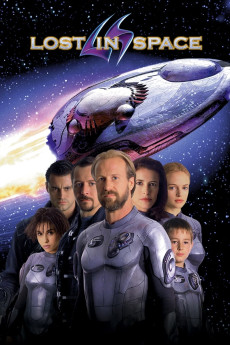
Lost in Space (1998)
Género: Action , Adventure , Family , Sci-Fi , Thriller
Año: 1998
Formato: 4K
Runtime: 130
Resumen
With the Earth running short of natural energy resources the Jupiter mission to colonize and exploit Alpha Prime seems to be the only chance of survival. Professor John Robinson ('William Hurt' ) together with his wife Maureen, his family and fighter pilot Don West (lead a desperate attempt to create a Hyper-Gate in orbit around the planet Alpha Prime to enable the rescue of Earth to begin. However, others have different reasons for reaching Alpha Prime and Dr. Smith sabotages the Jupiter 2 but fails to get clear and becomes an unwelcome stowaway aboard the ship. To escape the gravitational pull of the sun the Hyper-Drive is fired and the Jupiter 2, after a trip through hyperspace, emerges into a completely unknown part of the galaxy. A search of the star charts reveals that they are completely lost in an uncharted sector of space but this is only the beginning of their problems...—Mark Smith
También te puede interesar
Pasos para descargar y ver
1. ¿Cómo descargar?
Lo primero que hay que entender es que los contenidos no están alojados en nuestro servidor sino que se comparten entre usuarios. Al pinchar en descargar estás dando a un enlace que te da la información necesaria para descargar con el BitTorrent.
2. ¿Qué es el BitTorrent?
Todas las películas, series y demás, los tienen usuarios como tú en su ordenador y tú descargas de ellos y otros descargarán de ti. Es el sistema P2P (peer to peer). En nuestra web se comparte por el BitTorrent que es un sistema P2P muy conocido.
Para poder descargar las cosas necesitarás tener instalado un cliente Torrent.
3. ¿Qué cliente BitTorrent utilizar?
Hay varios clientes Torrent. Nosotros recomentamos utilizar el bitTorrent. Es muy ligero, fácil de usar, sin publicidad, no ralentiza tu ordenador…
Aquí podrás encontrar un manual sobre el BitTorrent y cómo instalarlo y configurarlo:
4. ¿Cómo ver las películas y series?
Si después de descargar axluna película o serie, tienes problemas para verla u oirla, te recomendamos que hagas lo siguiente.
Instala un pack de códecs, nosotros recomendamos el CCCP:
Si no lo tienes instalado, instálate este reproductor de vídeo, el Windows Media Player Classic:
https://www.free-codecs.com/download/Media_Player_Classic.htm
Reinicia el ordenador y se te deberían ver y oír correctamente las películas y series al abrirlas con el Windows Media Player Classic.