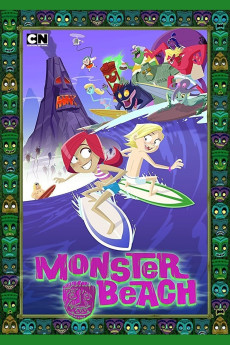
Monster Beach (2014)
Género: Action , Adventure , Animation , Comedy , Family , Fantasy
Año: 2014
Formato: 4K
Runtime: 73
Resumen
An ordinary summer holiday gets complicated when two kids - Jan and her brother Dean - are packed off to stay with their drop-out uncle, Woody. It should be complete paradise: a secluded island, great waves and a relaxed adult in charge. What could be better? But why is this place so deserted? Why has the town been overrun by jungle and what are those strange noises coming from the beach? The terrible truth is revealed when it turns out the locals are in fact surf-crazed monsters - and they don't take kindly to tourists. Well not at first anyway. The arrival of a rampaging property developer changes everything. Sibling rivalry and genetic differences are suddenly swept aside, as everyone bands together to save the strange little place they've all come to call home.—Bogan Entertainment Solutions
También te puede interesar
Pasos para descargar y ver
1. ¿Cómo descargar?
Lo primero que hay que entender es que los contenidos no están alojados en nuestro servidor sino que se comparten entre usuarios. Al pinchar en descargar estás dando a un enlace que te da la información necesaria para descargar con el BitTorrent.
2. ¿Qué es el BitTorrent?
Todas las películas, series y demás, los tienen usuarios como tú en su ordenador y tú descargas de ellos y otros descargarán de ti. Es el sistema P2P (peer to peer). En nuestra web se comparte por el BitTorrent que es un sistema P2P muy conocido.
Para poder descargar las cosas necesitarás tener instalado un cliente Torrent.
3. ¿Qué cliente BitTorrent utilizar?
Hay varios clientes Torrent. Nosotros recomentamos utilizar el bitTorrent. Es muy ligero, fácil de usar, sin publicidad, no ralentiza tu ordenador…
Aquí podrás encontrar un manual sobre el BitTorrent y cómo instalarlo y configurarlo:
4. ¿Cómo ver las películas y series?
Si después de descargar axluna película o serie, tienes problemas para verla u oirla, te recomendamos que hagas lo siguiente.
Instala un pack de códecs, nosotros recomendamos el CCCP:
Si no lo tienes instalado, instálate este reproductor de vídeo, el Windows Media Player Classic:
https://www.free-codecs.com/download/Media_Player_Classic.htm
Reinicia el ordenador y se te deberían ver y oír correctamente las películas y series al abrirlas con el Windows Media Player Classic.