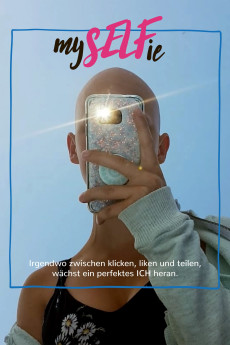
MySELFie (2019)
Género: Documentary
Año: 2019
Formato: 4K
Runtime: 52
Resumen
At the age of 12 Maya lost all of her hair. Within a couple of weeks she turned completely bald. The diagnosis: Alopecia areata. It causes Maya's body to reject every single hair like a foreign object. Two years later she has gotten used to her baldness. But summer is a brutal time for her. It's too hot to hide under a wig or a hat. Then, Maya feels naked, and she asks herself: How do others perceive me? Am I alright the way I am? Am I beautiful? Almost like a way to provide the answers, Maya takes lots of selfies, just like her friends. And somewhere in between swiping, liking and sharing, the girls are growing into young women. MySelfie is a documentary that observes the levels of self-perception and external perception that Maya and her friends are experiencing. It is not about narcissism but about searching and finding one's inner self, and eventually self-love. A coming-of-age film that portrays the self-exploration of a whole generation by looking at Maya's story.
También te puede interesar
Pasos para descargar y ver
1. ¿Cómo descargar?
Lo primero que hay que entender es que los contenidos no están alojados en nuestro servidor sino que se comparten entre usuarios. Al pinchar en descargar estás dando a un enlace que te da la información necesaria para descargar con el BitTorrent.
2. ¿Qué es el BitTorrent?
Todas las películas, series y demás, los tienen usuarios como tú en su ordenador y tú descargas de ellos y otros descargarán de ti. Es el sistema P2P (peer to peer). En nuestra web se comparte por el BitTorrent que es un sistema P2P muy conocido.
Para poder descargar las cosas necesitarás tener instalado un cliente Torrent.
3. ¿Qué cliente BitTorrent utilizar?
Hay varios clientes Torrent. Nosotros recomentamos utilizar el bitTorrent. Es muy ligero, fácil de usar, sin publicidad, no ralentiza tu ordenador…
Aquí podrás encontrar un manual sobre el BitTorrent y cómo instalarlo y configurarlo:
4. ¿Cómo ver las películas y series?
Si después de descargar axluna película o serie, tienes problemas para verla u oirla, te recomendamos que hagas lo siguiente.
Instala un pack de códecs, nosotros recomendamos el CCCP:
Si no lo tienes instalado, instálate este reproductor de vídeo, el Windows Media Player Classic:
https://www.free-codecs.com/download/Media_Player_Classic.htm
Reinicia el ordenador y se te deberían ver y oír correctamente las películas y series al abrirlas con el Windows Media Player Classic.