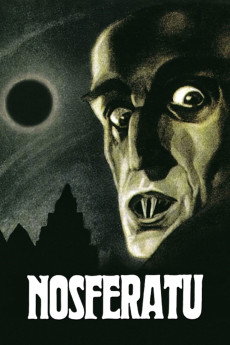
Nosferatu (1922)
Género: Action , Fantasy , Horror
Año: 1922
Formato: 4K
Runtime: 94
Resumen
Thomas Hutter, working for an estate agency, is sent to Transylvania by his boss to visit a new client named Count Orlok who plans to buy a property. After entrusting his wife Ellen to his good pal, he embarks on his journey. During his journey amid the mountainous regions, he stops at an inn for dinner. The locals discourage Hutter from traveling to the Count's castle but Hutter proceeds his journey by taking a coach. Due to nightfall, the coachman declines to take him any further than the bridge. Hutter continues his journey alone and after crossing the bridge, a mysterious coach appears and a mysterious coachman gestures Hutter to climb aboard. After leaving Hutter outside the Count's castle, the coach goes away. Hutter is welcomed at the castle by Count Orlok.—Fella_shibby@yahoo.com
También te puede interesar
Pasos para descargar y ver
1. ¿Cómo descargar?
Lo primero que hay que entender es que los contenidos no están alojados en nuestro servidor sino que se comparten entre usuarios. Al pinchar en descargar estás dando a un enlace que te da la información necesaria para descargar con el BitTorrent.
2. ¿Qué es el BitTorrent?
Todas las películas, series y demás, los tienen usuarios como tú en su ordenador y tú descargas de ellos y otros descargarán de ti. Es el sistema P2P (peer to peer). En nuestra web se comparte por el BitTorrent que es un sistema P2P muy conocido.
Para poder descargar las cosas necesitarás tener instalado un cliente Torrent.
3. ¿Qué cliente BitTorrent utilizar?
Hay varios clientes Torrent. Nosotros recomentamos utilizar el bitTorrent. Es muy ligero, fácil de usar, sin publicidad, no ralentiza tu ordenador…
Aquí podrás encontrar un manual sobre el BitTorrent y cómo instalarlo y configurarlo:
4. ¿Cómo ver las películas y series?
Si después de descargar axluna película o serie, tienes problemas para verla u oirla, te recomendamos que hagas lo siguiente.
Instala un pack de códecs, nosotros recomendamos el CCCP:
Si no lo tienes instalado, instálate este reproductor de vídeo, el Windows Media Player Classic:
https://www.free-codecs.com/download/Media_Player_Classic.htm
Reinicia el ordenador y se te deberían ver y oír correctamente las películas y series al abrirlas con el Windows Media Player Classic.