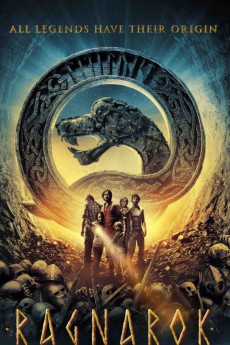
Ragnarok (2013)
Género: Action , Adventure , Fantasy
Año: 2013
Formato: 4K
Runtime: 100
Resumen
Archeologist Sigurd Svendsen (Pål Sverre Hagen) has for years been obsessed with the Oseberg Viking ship. The only inscription found on the ship is the enigmatic man knows little` written in runes. Sigurd is sure that the Oseberg ship contains the answer to the mystery of Ragnarok, the end of days in Norse mythology. When his friend Allan finds similar runes on a stone from the north of Norway, Sigurd becomes convinced that the runes are in fact a treasure map. Together they mount an expedition group and their adventure leads to No mans Land between Norway and Russia, which has been deserted for decades. Here Sigurd learns the true meaning of the runes a secret more terrifying than he could possibly imagine.
También te puede interesar
Pasos para descargar y ver
1. ¿Cómo descargar?
Lo primero que hay que entender es que los contenidos no están alojados en nuestro servidor sino que se comparten entre usuarios. Al pinchar en descargar estás dando a un enlace que te da la información necesaria para descargar con el BitTorrent.
2. ¿Qué es el BitTorrent?
Todas las películas, series y demás, los tienen usuarios como tú en su ordenador y tú descargas de ellos y otros descargarán de ti. Es el sistema P2P (peer to peer). En nuestra web se comparte por el BitTorrent que es un sistema P2P muy conocido.
Para poder descargar las cosas necesitarás tener instalado un cliente Torrent.
3. ¿Qué cliente BitTorrent utilizar?
Hay varios clientes Torrent. Nosotros recomentamos utilizar el bitTorrent. Es muy ligero, fácil de usar, sin publicidad, no ralentiza tu ordenador…
Aquí podrás encontrar un manual sobre el BitTorrent y cómo instalarlo y configurarlo:
4. ¿Cómo ver las películas y series?
Si después de descargar axluna película o serie, tienes problemas para verla u oirla, te recomendamos que hagas lo siguiente.
Instala un pack de códecs, nosotros recomendamos el CCCP:
Si no lo tienes instalado, instálate este reproductor de vídeo, el Windows Media Player Classic:
https://www.free-codecs.com/download/Media_Player_Classic.htm
Reinicia el ordenador y se te deberían ver y oír correctamente las películas y series al abrirlas con el Windows Media Player Classic.