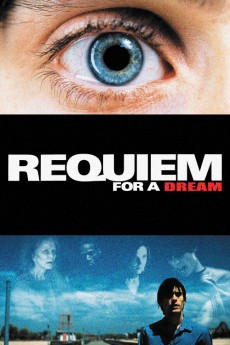
Requiem for a Dream (2000)
Año: 2000
Formato: 4K
Runtime: 102
Resumen
Brighton Beach, Brooklyn. In the shadow of the decaying dreamland of Coney Island, four interrelated lost souls fall prey to chemical addiction over a year. Intrigued by a random telephone call, sweet Sara Goldfarb, a lonely widow glued to her television, believes she will be on TV--all she has to do is drop a few pounds. Instead, Sara becomes addicted to diet pills. In the meantime, her heroin-shooting son, Harry, and his ecstasy-hooked pal, Tyrone, push drugs on the neighbourhood's mean streets, risking everything to escape poverty and support their unbreakable, ever-increasing addictions. And amid false promises and a perpetual dependency loop, Harry's talented girlfriend, Marion, aspires to make it big in the fashion industry. However, she, too, is about to plunge headlong into hell and explore the dark depths of human misery.—Nick Riganas
También te puede interesar
Pasos para descargar y ver
1. ¿Cómo descargar?
Lo primero que hay que entender es que los contenidos no están alojados en nuestro servidor sino que se comparten entre usuarios. Al pinchar en descargar estás dando a un enlace que te da la información necesaria para descargar con el BitTorrent.
2. ¿Qué es el BitTorrent?
Todas las películas, series y demás, los tienen usuarios como tú en su ordenador y tú descargas de ellos y otros descargarán de ti. Es el sistema P2P (peer to peer). En nuestra web se comparte por el BitTorrent que es un sistema P2P muy conocido.
Para poder descargar las cosas necesitarás tener instalado un cliente Torrent.
3. ¿Qué cliente BitTorrent utilizar?
Hay varios clientes Torrent. Nosotros recomentamos utilizar el bitTorrent. Es muy ligero, fácil de usar, sin publicidad, no ralentiza tu ordenador…
Aquí podrás encontrar un manual sobre el BitTorrent y cómo instalarlo y configurarlo:
4. ¿Cómo ver las películas y series?
Si después de descargar axluna película o serie, tienes problemas para verla u oirla, te recomendamos que hagas lo siguiente.
Instala un pack de códecs, nosotros recomendamos el CCCP:
Si no lo tienes instalado, instálate este reproductor de vídeo, el Windows Media Player Classic:
https://www.free-codecs.com/download/Media_Player_Classic.htm
Reinicia el ordenador y se te deberían ver y oír correctamente las películas y series al abrirlas con el Windows Media Player Classic.