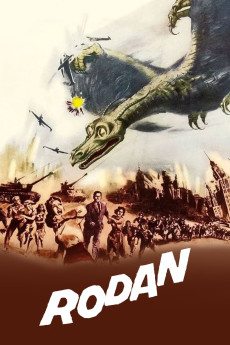
Rodan (1956)
Año: 1956
Formato: 4K
Runtime: 74
Resumen
In the small town of Kitamatsu, strange things begin to happen when one of the shafts at the coal mine goes deeper than any other shaft they have there. First, a flood happens and when safety engineer Shigeru Kimura goes to investigate, he is horrified to find one miner dead and his friend Goro missing. Soon more bodies turn up and the main suspect is Goro. However, one night while Shigeru is visiting his fiancée Kiyo, Goro's sister, a giant caterpillar like monster crashes through her house. Immediately, the authorities realize that Goro is not to blame but the monsters are. Shigeru and the authorities then go back in the mine and track down the monster. While in the mine, they also find Goro's body and while they attempt to free Goro's body, a landslide occurs trapping Shigeru in an adjoining cavern. A few days later Shigeru is found but he is in a state of shock caused by the fact that he saw an even more terrible creature, a flying reptile called Rodan, hatch from its egg. Soon the world finds out about the creature and the world is now on alert as they await for this terrible monster to attack.—Brian Washington
También te puede interesar
Pasos para descargar y ver
1. ¿Cómo descargar?
Lo primero que hay que entender es que los contenidos no están alojados en nuestro servidor sino que se comparten entre usuarios. Al pinchar en descargar estás dando a un enlace que te da la información necesaria para descargar con el BitTorrent.
2. ¿Qué es el BitTorrent?
Todas las películas, series y demás, los tienen usuarios como tú en su ordenador y tú descargas de ellos y otros descargarán de ti. Es el sistema P2P (peer to peer). En nuestra web se comparte por el BitTorrent que es un sistema P2P muy conocido.
Para poder descargar las cosas necesitarás tener instalado un cliente Torrent.
3. ¿Qué cliente BitTorrent utilizar?
Hay varios clientes Torrent. Nosotros recomentamos utilizar el bitTorrent. Es muy ligero, fácil de usar, sin publicidad, no ralentiza tu ordenador…
Aquí podrás encontrar un manual sobre el BitTorrent y cómo instalarlo y configurarlo:
4. ¿Cómo ver las películas y series?
Si después de descargar axluna película o serie, tienes problemas para verla u oirla, te recomendamos que hagas lo siguiente.
Instala un pack de códecs, nosotros recomendamos el CCCP:
Si no lo tienes instalado, instálate este reproductor de vídeo, el Windows Media Player Classic:
https://www.free-codecs.com/download/Media_Player_Classic.htm
Reinicia el ordenador y se te deberían ver y oír correctamente las películas y series al abrirlas con el Windows Media Player Classic.