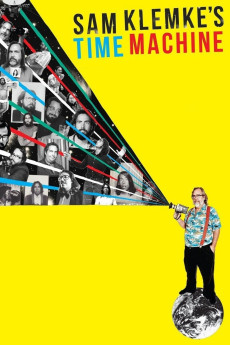
Sam Klemke's Time Machine (2015)
Género: Biography , Documentary
Año: 2015
Formato: 4K
Runtime: 90
Resumen
In 1977, Sam Klemke started obsessively documenting his entire life on film. Beginning decades before the modern obsession with selfies and status updates, we see Sam grow from an optimistic teen to a self-important 20-year-old, into an obese, self-loathing thirty-something and onwards into his philosophical fifties. The same year that Sam began his project, NASA launched the Voyager craft into deep space carrying the Golden Record, a portrait of humanity that would try to explain to extra terrestrials who we are. From director Matthew Bate (Shut Up Little Man! An Audio Misadventure), Sam Klemke's Time Machine follows two unique self-portraits as they travel in parallel - one hurtling through the infinity of space and the other stuck in the suburbs of Earth - in a freewheeling look at time, memory, mortality and what it means to be human.—Production Company
También te puede interesar
Pasos para descargar y ver
1. ¿Cómo descargar?
Lo primero que hay que entender es que los contenidos no están alojados en nuestro servidor sino que se comparten entre usuarios. Al pinchar en descargar estás dando a un enlace que te da la información necesaria para descargar con el BitTorrent.
2. ¿Qué es el BitTorrent?
Todas las películas, series y demás, los tienen usuarios como tú en su ordenador y tú descargas de ellos y otros descargarán de ti. Es el sistema P2P (peer to peer). En nuestra web se comparte por el BitTorrent que es un sistema P2P muy conocido.
Para poder descargar las cosas necesitarás tener instalado un cliente Torrent.
3. ¿Qué cliente BitTorrent utilizar?
Hay varios clientes Torrent. Nosotros recomentamos utilizar el bitTorrent. Es muy ligero, fácil de usar, sin publicidad, no ralentiza tu ordenador…
Aquí podrás encontrar un manual sobre el BitTorrent y cómo instalarlo y configurarlo:
4. ¿Cómo ver las películas y series?
Si después de descargar axluna película o serie, tienes problemas para verla u oirla, te recomendamos que hagas lo siguiente.
Instala un pack de códecs, nosotros recomendamos el CCCP:
Si no lo tienes instalado, instálate este reproductor de vídeo, el Windows Media Player Classic:
https://www.free-codecs.com/download/Media_Player_Classic.htm
Reinicia el ordenador y se te deberían ver y oír correctamente las películas y series al abrirlas con el Windows Media Player Classic.