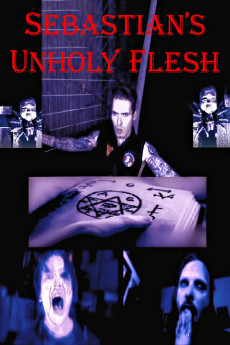
Sebastian's Unholy Flesh (2020)
Año: 2020
Formato: 4K
Runtime: 72
Resumen
Sebastian's Unholy Flesh-the seventh film by Denver auteur filmmaker Dakota Ray, is an experimental, horror/fantasy film, chronicling the emergence of a new evil. After a shift in the universe occurs, a demonic being named Sebastian (Dakota Ray) manifests in the flesh to obtain Lucifer's ancient Unholy Book. Any entity capable of conjuring the dark powers from within the book's manuscripts will have the ability to bring about the annihilation of mankind itself. However, a shaman/serial killer named The White Spider (Fred Epstein) learns of the book's existence and has intentions of obtaining it with the assistance of a demon named Nezaah (Nick Benning)-together, they intend to kill Sebastian, and divide his corpse into nine pieces for each of the demonic gods. Sebastian's Unholy Flesh is a malevolent cinematic voyage, leading directly into the heart of evil.—Alister C.
También te puede interesar
Pasos para descargar y ver
1. ¿Cómo descargar?
Lo primero que hay que entender es que los contenidos no están alojados en nuestro servidor sino que se comparten entre usuarios. Al pinchar en descargar estás dando a un enlace que te da la información necesaria para descargar con el BitTorrent.
2. ¿Qué es el BitTorrent?
Todas las películas, series y demás, los tienen usuarios como tú en su ordenador y tú descargas de ellos y otros descargarán de ti. Es el sistema P2P (peer to peer). En nuestra web se comparte por el BitTorrent que es un sistema P2P muy conocido.
Para poder descargar las cosas necesitarás tener instalado un cliente Torrent.
3. ¿Qué cliente BitTorrent utilizar?
Hay varios clientes Torrent. Nosotros recomentamos utilizar el bitTorrent. Es muy ligero, fácil de usar, sin publicidad, no ralentiza tu ordenador…
Aquí podrás encontrar un manual sobre el BitTorrent y cómo instalarlo y configurarlo:
4. ¿Cómo ver las películas y series?
Si después de descargar axluna película o serie, tienes problemas para verla u oirla, te recomendamos que hagas lo siguiente.
Instala un pack de códecs, nosotros recomendamos el CCCP:
Si no lo tienes instalado, instálate este reproductor de vídeo, el Windows Media Player Classic:
https://www.free-codecs.com/download/Media_Player_Classic.htm
Reinicia el ordenador y se te deberían ver y oír correctamente las películas y series al abrirlas con el Windows Media Player Classic.