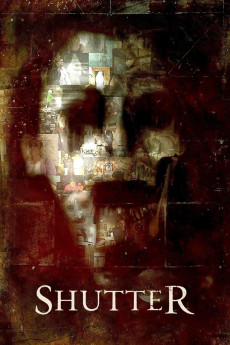
Shutter (2008)
Género: Horror , Mystery , Thriller
Año: 2008
Formato: 4K
Runtime: 85
Resumen
In North America, after getting married, the photographer Benjamin Shaw and his wife Jane travel to Japan for a job opportunity with Ben's friends Bruno and Adam. While driving on a lonely road in Japan during the night, they have a car accident with Jane hitting a girl first and crashing a tree. When they awake, the police do not find any body and Ben believes that Jane imagined the situation. Later when Ben reveals his latest pictures, he finds some mysterious shadows, while the couple is systematically haunted by the ghost of the girl. Jane investigates and finds that the victim was Ben's former shy and weird girlfriend Megumi Tanaka, who worked as translator for Ben. Later Jane discloses deep and hidden secrets about the relationship of Megumi, Ben and his friends Bruno and Adam.—Claudio Carvalho, Rio de Janeiro, Brazil
También te puede interesar
Pasos para descargar y ver
1. ¿Cómo descargar?
Lo primero que hay que entender es que los contenidos no están alojados en nuestro servidor sino que se comparten entre usuarios. Al pinchar en descargar estás dando a un enlace que te da la información necesaria para descargar con el BitTorrent.
2. ¿Qué es el BitTorrent?
Todas las películas, series y demás, los tienen usuarios como tú en su ordenador y tú descargas de ellos y otros descargarán de ti. Es el sistema P2P (peer to peer). En nuestra web se comparte por el BitTorrent que es un sistema P2P muy conocido.
Para poder descargar las cosas necesitarás tener instalado un cliente Torrent.
3. ¿Qué cliente BitTorrent utilizar?
Hay varios clientes Torrent. Nosotros recomentamos utilizar el bitTorrent. Es muy ligero, fácil de usar, sin publicidad, no ralentiza tu ordenador…
Aquí podrás encontrar un manual sobre el BitTorrent y cómo instalarlo y configurarlo:
4. ¿Cómo ver las películas y series?
Si después de descargar axluna película o serie, tienes problemas para verla u oirla, te recomendamos que hagas lo siguiente.
Instala un pack de códecs, nosotros recomendamos el CCCP:
Si no lo tienes instalado, instálate este reproductor de vídeo, el Windows Media Player Classic:
https://www.free-codecs.com/download/Media_Player_Classic.htm
Reinicia el ordenador y se te deberían ver y oír correctamente las películas y series al abrirlas con el Windows Media Player Classic.