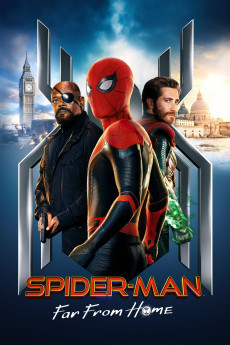
Spider-Man: Far from Home (2019)
Género: Action , Adventure , Comedy , Fantasy , Sci-Fi
Año: 2019
Formato: 4K
Runtime: 129
Resumen
Shortly after the cataclysmic events of Avengers: Endgame (2019), Peter Parker is yearning for normalcy in a post-Blip world. To blow off steam, Parker and his classmates from the Mid-town School of Science and Technology go on a two-week summer field trip to Europe, and this time, he is determined to ask his crush, MJ, out. However, Nick Fury, the no-nonsense founder of the Avengers, has other plans in store for the sixteen-year-old super-hero, as the Elementals, all-powerful, inter-dimensional creatures formed from the primary elements, start to materialise on Earth, wreaking havoc across the world. Surprisingly, only one man has stood up against this new form of threat and managed to tell the tale: Mysterio, a brave new hero. As humankind's latest adversary threatens to wipe Venice off the face of the Earth, Spider-Man joins forces with Mysterio to lend a hand in the battle, only to make a calamitous mistake. In the end, was Tony Stark wrong about Peter?—Nick Riganas
También te puede interesar
Pasos para descargar y ver
1. ¿Cómo descargar?
Lo primero que hay que entender es que los contenidos no están alojados en nuestro servidor sino que se comparten entre usuarios. Al pinchar en descargar estás dando a un enlace que te da la información necesaria para descargar con el BitTorrent.
2. ¿Qué es el BitTorrent?
Todas las películas, series y demás, los tienen usuarios como tú en su ordenador y tú descargas de ellos y otros descargarán de ti. Es el sistema P2P (peer to peer). En nuestra web se comparte por el BitTorrent que es un sistema P2P muy conocido.
Para poder descargar las cosas necesitarás tener instalado un cliente Torrent.
3. ¿Qué cliente BitTorrent utilizar?
Hay varios clientes Torrent. Nosotros recomentamos utilizar el bitTorrent. Es muy ligero, fácil de usar, sin publicidad, no ralentiza tu ordenador…
Aquí podrás encontrar un manual sobre el BitTorrent y cómo instalarlo y configurarlo:
4. ¿Cómo ver las películas y series?
Si después de descargar axluna película o serie, tienes problemas para verla u oirla, te recomendamos que hagas lo siguiente.
Instala un pack de códecs, nosotros recomendamos el CCCP:
Si no lo tienes instalado, instálate este reproductor de vídeo, el Windows Media Player Classic:
https://www.free-codecs.com/download/Media_Player_Classic.htm
Reinicia el ordenador y se te deberían ver y oír correctamente las películas y series al abrirlas con el Windows Media Player Classic.