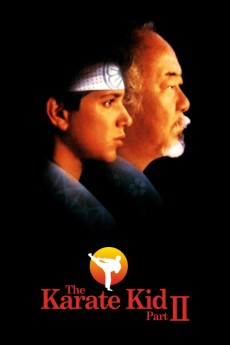
The Karate Kid Part II (1986)
Género: Action , Family , Romance , Sport
Año: 1986
Formato: 4K
Runtime: 113
Resumen
This sequel to the 1984 surprise hit The Karate Kid reunites Ralph Macchio as high-school student Danny and Noriyuki "Pat" Morita as Danny's martial-arts mentor, Miyagi. Picking up where the first film left off, The Karate Kid Part II finds Danny and Miyagi making an emergency trip to Okinawa, where Miyagi's father is dying. Here they revisit Miyagi's childhood sweetheart (Nobu McCarthy), who, Miyagi believes, had been wheedled into an arranged marriage with loose-cannon karate expert Sato (Danny Kamekona). Little does Miyagi realize that the woman is still single; Sato is still around as well, however, and intent on resuming the fight with his old nemesis. Morita agrees; meanwhile, Danny is challenged by Kamekona's pugnacious nephew (Yuji Okumoto).
También te puede interesar
Pasos para descargar y ver
1. ¿Cómo descargar?
Lo primero que hay que entender es que los contenidos no están alojados en nuestro servidor sino que se comparten entre usuarios. Al pinchar en descargar estás dando a un enlace que te da la información necesaria para descargar con el BitTorrent.
2. ¿Qué es el BitTorrent?
Todas las películas, series y demás, los tienen usuarios como tú en su ordenador y tú descargas de ellos y otros descargarán de ti. Es el sistema P2P (peer to peer). En nuestra web se comparte por el BitTorrent que es un sistema P2P muy conocido.
Para poder descargar las cosas necesitarás tener instalado un cliente Torrent.
3. ¿Qué cliente BitTorrent utilizar?
Hay varios clientes Torrent. Nosotros recomentamos utilizar el bitTorrent. Es muy ligero, fácil de usar, sin publicidad, no ralentiza tu ordenador…
Aquí podrás encontrar un manual sobre el BitTorrent y cómo instalarlo y configurarlo:
4. ¿Cómo ver las películas y series?
Si después de descargar axluna película o serie, tienes problemas para verla u oirla, te recomendamos que hagas lo siguiente.
Instala un pack de códecs, nosotros recomendamos el CCCP:
Si no lo tienes instalado, instálate este reproductor de vídeo, el Windows Media Player Classic:
https://www.free-codecs.com/download/Media_Player_Classic.htm
Reinicia el ordenador y se te deberían ver y oír correctamente las películas y series al abrirlas con el Windows Media Player Classic.