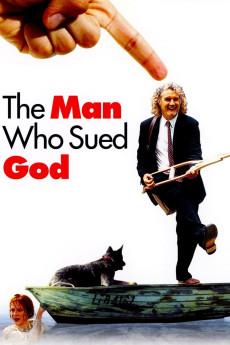
The Man Who Sued God (2001)
Género: Comedy , Drama , Romance
Año: 2001
Formato: 4K
Runtime: 97
Resumen
Advocate Steve Myers is a disillusioned lawyer who becomes fed-up with the perceived corruption within the judicial system. He quits the law business and buys a small fishing boat and takes up fishing for a living. His fishing boat is struck by lightning and explodes into pieces, burns and sinks. He informs his insurance company, which reviews and then subsequently declines his claim on the grounds that it is not liable as his fishing boat was destroyed due to an 'Act of God'. Frustrated that his claim is repeatedly declined, Steve files a claim against God, naming church officials as representatives of God, and thereby the respondents. The church leaders, their respective lawyers, as well as their insurance company get together to find a way to settle this dilemma, which does catch the fancy of the media. It is in Court that God's representatives will have to admit that the destruction of Steve's fishing boat was actually God's Act, accept it, and compensate him, or deny it altogether, and thereby deny God's existence, and leave the onus on Steve to prove his claim.
También te puede interesar
Pasos para descargar y ver
1. ¿Cómo descargar?
Lo primero que hay que entender es que los contenidos no están alojados en nuestro servidor sino que se comparten entre usuarios. Al pinchar en descargar estás dando a un enlace que te da la información necesaria para descargar con el BitTorrent.
2. ¿Qué es el BitTorrent?
Todas las películas, series y demás, los tienen usuarios como tú en su ordenador y tú descargas de ellos y otros descargarán de ti. Es el sistema P2P (peer to peer). En nuestra web se comparte por el BitTorrent que es un sistema P2P muy conocido.
Para poder descargar las cosas necesitarás tener instalado un cliente Torrent.
3. ¿Qué cliente BitTorrent utilizar?
Hay varios clientes Torrent. Nosotros recomentamos utilizar el bitTorrent. Es muy ligero, fácil de usar, sin publicidad, no ralentiza tu ordenador…
Aquí podrás encontrar un manual sobre el BitTorrent y cómo instalarlo y configurarlo:
4. ¿Cómo ver las películas y series?
Si después de descargar axluna película o serie, tienes problemas para verla u oirla, te recomendamos que hagas lo siguiente.
Instala un pack de códecs, nosotros recomendamos el CCCP:
Si no lo tienes instalado, instálate este reproductor de vídeo, el Windows Media Player Classic:
https://www.free-codecs.com/download/Media_Player_Classic.htm
Reinicia el ordenador y se te deberían ver y oír correctamente las películas y series al abrirlas con el Windows Media Player Classic.