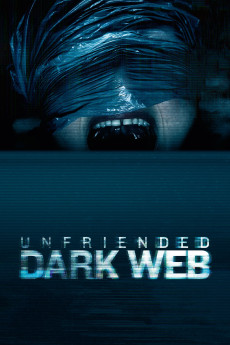
Unfriended: Dark Web (2018)
Género: Action , Crime , Horror , Mystery , Thriller
Año: 2018
Formato: 4K
Runtime: 92
Resumen
Matias O'Brien is working on a new laptop he has acquired, originally belonging to someone named Norah C. IV. He begins working on Papaya, an app he is making for his deaf girlfriend Amaya: the app listens to the user's voice and posts their words on the screen. However, Amaya is upset because the app only makes it convenient for her to understand him, but not for him to understand her. Matias keeps getting messages for Norah from someone named Erica. He gets on a Skype video call with his friends - tech wiz Damon, conspiracy theorist and YouTube-personality AJ, DJ Lexx, and couple Serena and Nari - and becomes frustrated with the computer constantly restarting. Serena and Nari reveal that they just got engaged. Serena wishes she told her mom sooner because her mom is on life support due to brain cancer. Matias discovers that Erica is actually Norah. As he had taken the laptop from a lost and found bin at a cyber cafe, he prepares to return it. He sees a message for Norah about payment they received for a video. Curious, he converses with this mystery person..
También te puede interesar
Pasos para descargar y ver
1. ¿Cómo descargar?
Lo primero que hay que entender es que los contenidos no están alojados en nuestro servidor sino que se comparten entre usuarios. Al pinchar en descargar estás dando a un enlace que te da la información necesaria para descargar con el BitTorrent.
2. ¿Qué es el BitTorrent?
Todas las películas, series y demás, los tienen usuarios como tú en su ordenador y tú descargas de ellos y otros descargarán de ti. Es el sistema P2P (peer to peer). En nuestra web se comparte por el BitTorrent que es un sistema P2P muy conocido.
Para poder descargar las cosas necesitarás tener instalado un cliente Torrent.
3. ¿Qué cliente BitTorrent utilizar?
Hay varios clientes Torrent. Nosotros recomentamos utilizar el bitTorrent. Es muy ligero, fácil de usar, sin publicidad, no ralentiza tu ordenador…
Aquí podrás encontrar un manual sobre el BitTorrent y cómo instalarlo y configurarlo:
4. ¿Cómo ver las películas y series?
Si después de descargar axluna película o serie, tienes problemas para verla u oirla, te recomendamos que hagas lo siguiente.
Instala un pack de códecs, nosotros recomendamos el CCCP:
Si no lo tienes instalado, instálate este reproductor de vídeo, el Windows Media Player Classic:
https://www.free-codecs.com/download/Media_Player_Classic.htm
Reinicia el ordenador y se te deberían ver y oír correctamente las películas y series al abrirlas con el Windows Media Player Classic.