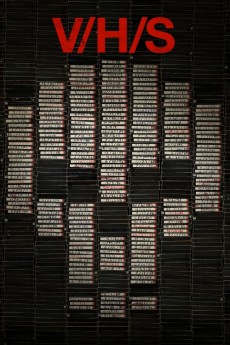
V/H/S (2012)
Género: Action , Fantasy , Horror , Mystery , Sci-Fi , Thriller
Año: 2012
Formato: 4K
Runtime: 116
Resumen
Composed of six stories told from the viewer's point of view, V/H/S weaves hair-raising segments into a found-footage horror anthology. In "Tape 56", a gang of young criminals breaks into a seemingly abandoned house only to realise they have bitten off more than they can chew. Then, in "Amateur Night", three lustful friends encounter a mysterious young woman, and in "Second Honeymoon", a married couple travelling along the American Southwest find themselves stalked by a stranger. Next, in "Tuesday the 17th", a supernatural killer lurking in the woods threatens four holidaymakers, and in "The Sick Thing That Happened to Emily When She Was Younger", poor Emily suspects paranormal activity in her house. Finally, in "10/31/98", four friends stumble upon a haunted house with unforeseen consequences.—Nick Riganas
También te puede interesar
Pasos para descargar y ver
1. ¿Cómo descargar?
Lo primero que hay que entender es que los contenidos no están alojados en nuestro servidor sino que se comparten entre usuarios. Al pinchar en descargar estás dando a un enlace que te da la información necesaria para descargar con el BitTorrent.
2. ¿Qué es el BitTorrent?
Todas las películas, series y demás, los tienen usuarios como tú en su ordenador y tú descargas de ellos y otros descargarán de ti. Es el sistema P2P (peer to peer). En nuestra web se comparte por el BitTorrent que es un sistema P2P muy conocido.
Para poder descargar las cosas necesitarás tener instalado un cliente Torrent.
3. ¿Qué cliente BitTorrent utilizar?
Hay varios clientes Torrent. Nosotros recomentamos utilizar el bitTorrent. Es muy ligero, fácil de usar, sin publicidad, no ralentiza tu ordenador…
Aquí podrás encontrar un manual sobre el BitTorrent y cómo instalarlo y configurarlo:
4. ¿Cómo ver las películas y series?
Si después de descargar axluna película o serie, tienes problemas para verla u oirla, te recomendamos que hagas lo siguiente.
Instala un pack de códecs, nosotros recomendamos el CCCP:
Si no lo tienes instalado, instálate este reproductor de vídeo, el Windows Media Player Classic:
https://www.free-codecs.com/download/Media_Player_Classic.htm
Reinicia el ordenador y se te deberían ver y oír correctamente las películas y series al abrirlas con el Windows Media Player Classic.