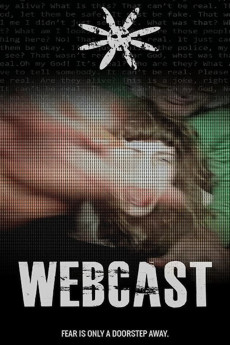
Webcast (2018)
Género: Action , Horror , Thriller
Año: 2018
Formato: 4K
Runtime: 95
Resumen
Stranded in the suburbs, student filmmaker Chloe begins to make a documentary about her family's troubled past. Whilst filming, she and best friend Ed, witness an hysterical girl appearing to escape from a neighbour's house, only to be quickly dragged back inside again. Is she a recovering drug addict like the neighbours say? Or is she really in danger from those who claim to be caring for her? Chloe and Ed begin to run surveillance, but as they dig deeper, they find themselves caught up in a world of strange beliefs, old religions, and dark witchcraft. Their search for the truth will climax in a live webcast that will terrify and make those watching question the very authenticity of what they are seeing. Webcast is inspired by a wealth of films from both the horror and thriller genres, including Rear Window, The Wicker Man, The Blair Witch Project, Rosemary's Baby, Paranormal Activity, and Race with the Devil.
También te puede interesar
Pasos para descargar y ver
1. ¿Cómo descargar?
Lo primero que hay que entender es que los contenidos no están alojados en nuestro servidor sino que se comparten entre usuarios. Al pinchar en descargar estás dando a un enlace que te da la información necesaria para descargar con el BitTorrent.
2. ¿Qué es el BitTorrent?
Todas las películas, series y demás, los tienen usuarios como tú en su ordenador y tú descargas de ellos y otros descargarán de ti. Es el sistema P2P (peer to peer). En nuestra web se comparte por el BitTorrent que es un sistema P2P muy conocido.
Para poder descargar las cosas necesitarás tener instalado un cliente Torrent.
3. ¿Qué cliente BitTorrent utilizar?
Hay varios clientes Torrent. Nosotros recomentamos utilizar el bitTorrent. Es muy ligero, fácil de usar, sin publicidad, no ralentiza tu ordenador…
Aquí podrás encontrar un manual sobre el BitTorrent y cómo instalarlo y configurarlo:
4. ¿Cómo ver las películas y series?
Si después de descargar axluna película o serie, tienes problemas para verla u oirla, te recomendamos que hagas lo siguiente.
Instala un pack de códecs, nosotros recomendamos el CCCP:
Si no lo tienes instalado, instálate este reproductor de vídeo, el Windows Media Player Classic:
https://www.free-codecs.com/download/Media_Player_Classic.htm
Reinicia el ordenador y se te deberían ver y oír correctamente las películas y series al abrirlas con el Windows Media Player Classic.