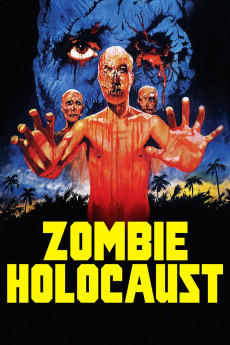
Zombie Holocaust (1980)
Género: Action , Adventure , Horror , Mystery , Sci-Fi , Thriller
Año: 1980
Formato: 4K
Runtime: 84
Resumen
In New York, body parts are missing in a hospital where Dr. Dreylock teaches anatomy. When one cannibal worker is killed after taking the heart of a corpse, Dr. Dreylock's assistant and anthropologist Lori Ridgeway recognizes the signal of a tribe in the Moluccas Island that worships the god Kito. Dr. Peter Chandler organizes an expedition to Moluccas with his assistant George Harper and invites Lori and the journalist Susan Kelly to travel with him. They meet Doctor Obrero that asks his servant Molotto to guide the group to Kito. Once in the island, they are hunted by hunger cannibals and zombies, and they find a dark secret about the spot.—Claudio Carvalho, Rio de Janeiro, Brazil
También te puede interesar
Pasos para descargar y ver
1. ¿Cómo descargar?
Lo primero que hay que entender es que los contenidos no están alojados en nuestro servidor sino que se comparten entre usuarios. Al pinchar en descargar estás dando a un enlace que te da la información necesaria para descargar con el BitTorrent.
2. ¿Qué es el BitTorrent?
Todas las películas, series y demás, los tienen usuarios como tú en su ordenador y tú descargas de ellos y otros descargarán de ti. Es el sistema P2P (peer to peer). En nuestra web se comparte por el BitTorrent que es un sistema P2P muy conocido.
Para poder descargar las cosas necesitarás tener instalado un cliente Torrent.
3. ¿Qué cliente BitTorrent utilizar?
Hay varios clientes Torrent. Nosotros recomentamos utilizar el bitTorrent. Es muy ligero, fácil de usar, sin publicidad, no ralentiza tu ordenador…
Aquí podrás encontrar un manual sobre el BitTorrent y cómo instalarlo y configurarlo:
4. ¿Cómo ver las películas y series?
Si después de descargar axluna película o serie, tienes problemas para verla u oirla, te recomendamos que hagas lo siguiente.
Instala un pack de códecs, nosotros recomendamos el CCCP:
Si no lo tienes instalado, instálate este reproductor de vídeo, el Windows Media Player Classic:
https://www.free-codecs.com/download/Media_Player_Classic.htm
Reinicia el ordenador y se te deberían ver y oír correctamente las películas y series al abrirlas con el Windows Media Player Classic.